Quellow
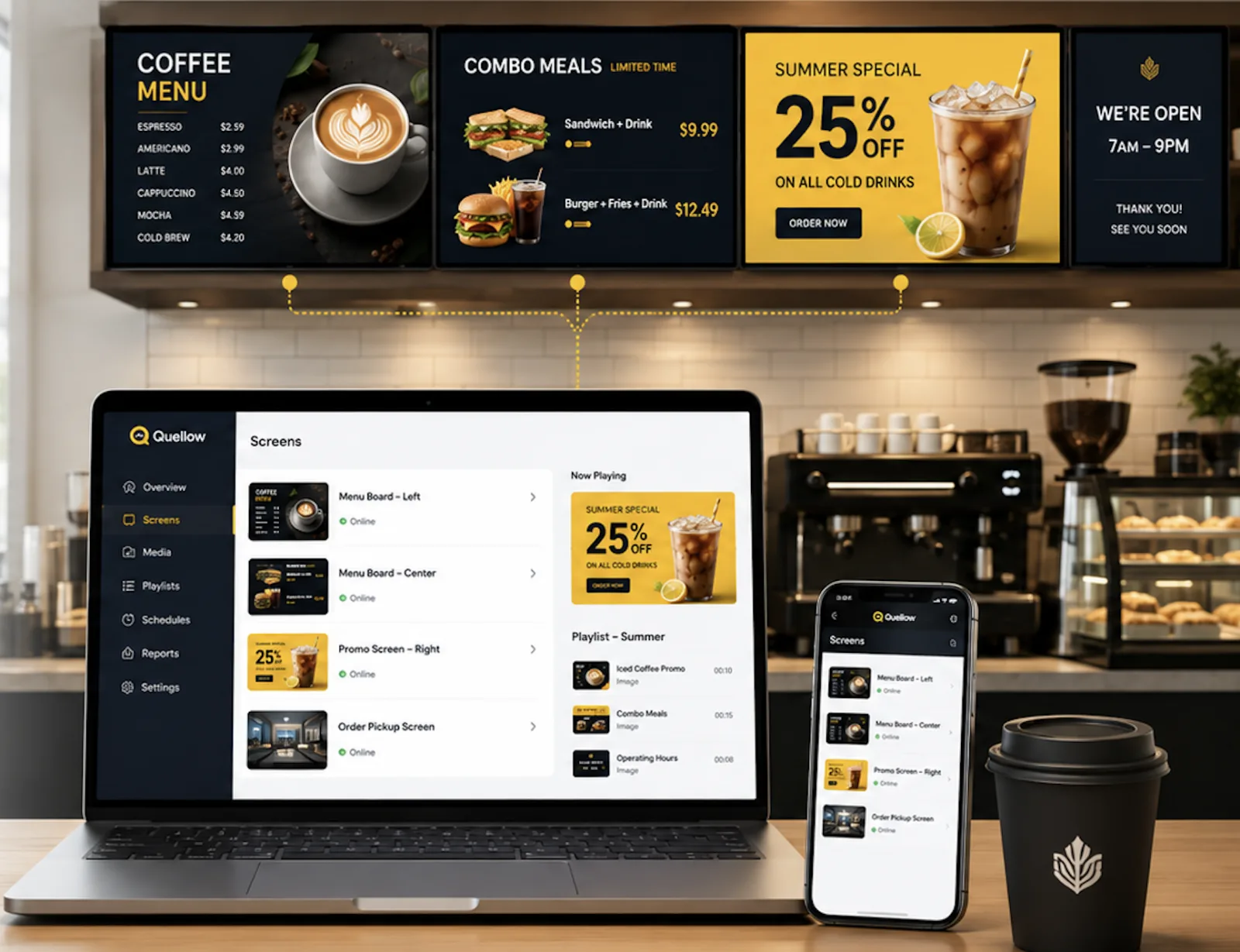
A printed menu board is out of date the moment a price changes. Stickers and handwritten notes follow, and soon your counter is telling customers you're not paying attention. Digital menu boards fix this, and they do more than replace print.
How digital menu boards work
The setup is simple. You have a TV, a small player or app that shows your content, and software for managing it. You make a change on your laptop or phone and the screen updates, with no ladder and no printer.
Why owners switch
- Instant updates. Change prices and items in minutes.
- No print costs. Stop paying to reprint when things change.
- Timed content. Show breakfast in the morning and lunch at noon.
- Promotion. Motion catches the eye while people are deciding.
What to show on your screens
A screen is valuable space, so use it well.
Keep the menu readable
Use large text and clear categories. Test it from where customers actually stand. If you can't read it from the back of the line, neither can they.
Feature high-margin items
Put your most profitable items in the most visible places. Use your sales data, not your instincts. The Menu Profit Advisor in Quellow shows which items earn the most.
Use one promotion at a time
A rotating screen with ten offers is ignored. Choose one, with a strong photo and a clear price.
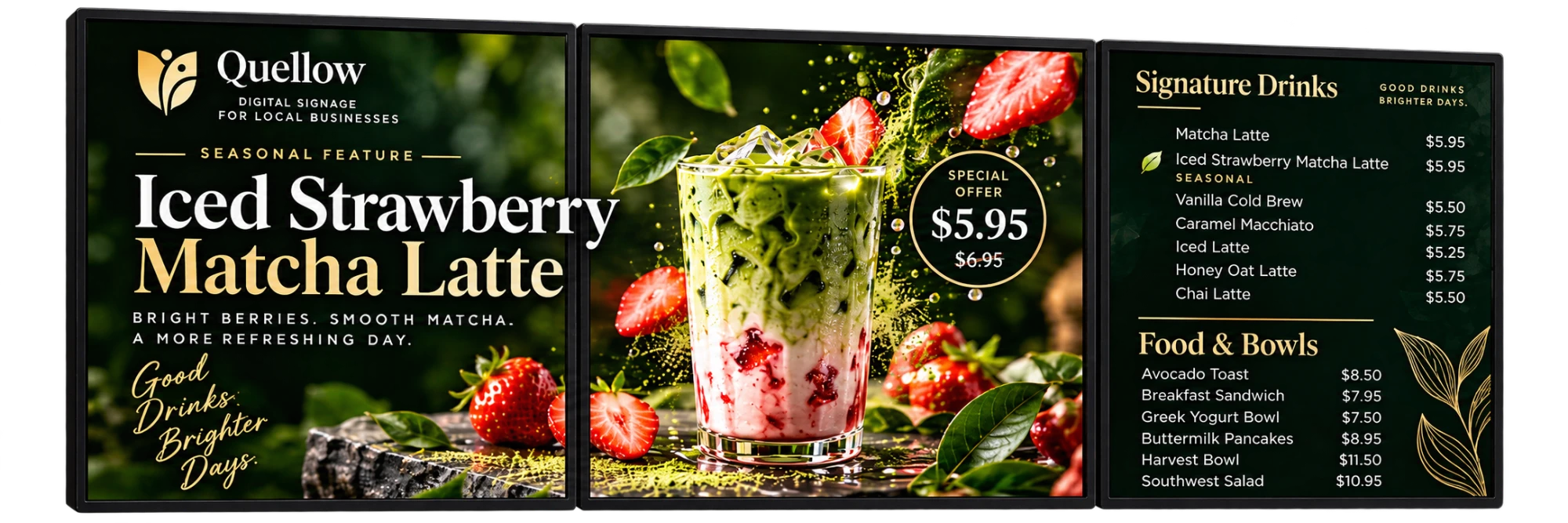
Let the screens run themselves
Board Autopilot takes care of routine changes. Boards can follow the day, showing your breakfast menu in the morning and lunch later on. It also hides what's sold out, so nobody orders something you can't serve. It can suggest promotions too.
Because digital signage in Quellow shares a catalog with your register, updating a price updates the board.
Beyond restaurants
Screens work in other places too:
- Salons and spas: service menus and before-and-after photos.
- Retail: new arrivals and sale items.
- Clinics: services and waiting room information.
- Gyms: class schedules and member offers.
Hardware: keep it simple
Most businesses can use an ordinary commercial or consumer TV. Consider screen brightness if it's near a window, wall mount placement, and whether power and internet are nearby. Set up a clean look by hiding cables, and you're ready.
Mistakes to avoid
- Too much text
- Tiny prices
- Fast transitions that people can't read
- Stale promotions long after they've ended
Getting started
Start with one screen near your point of order. Build your menu, add one promotion and use daypart scheduling if you serve different menus. Watch what changes in your sales, and expand from there. You'll probably wonder why you ever put up with the stickers.